Exclusive Saudi channel partner
FUTEC handles setup, training and support in Arabic, English and Urdu.

Every guest request. Routed, tracked and resolved.
Bring calls, team requests, WhatsApp, email, forms, QR requests and APIs into one hotel service workflow. See ownership, status and time remaining in one place.
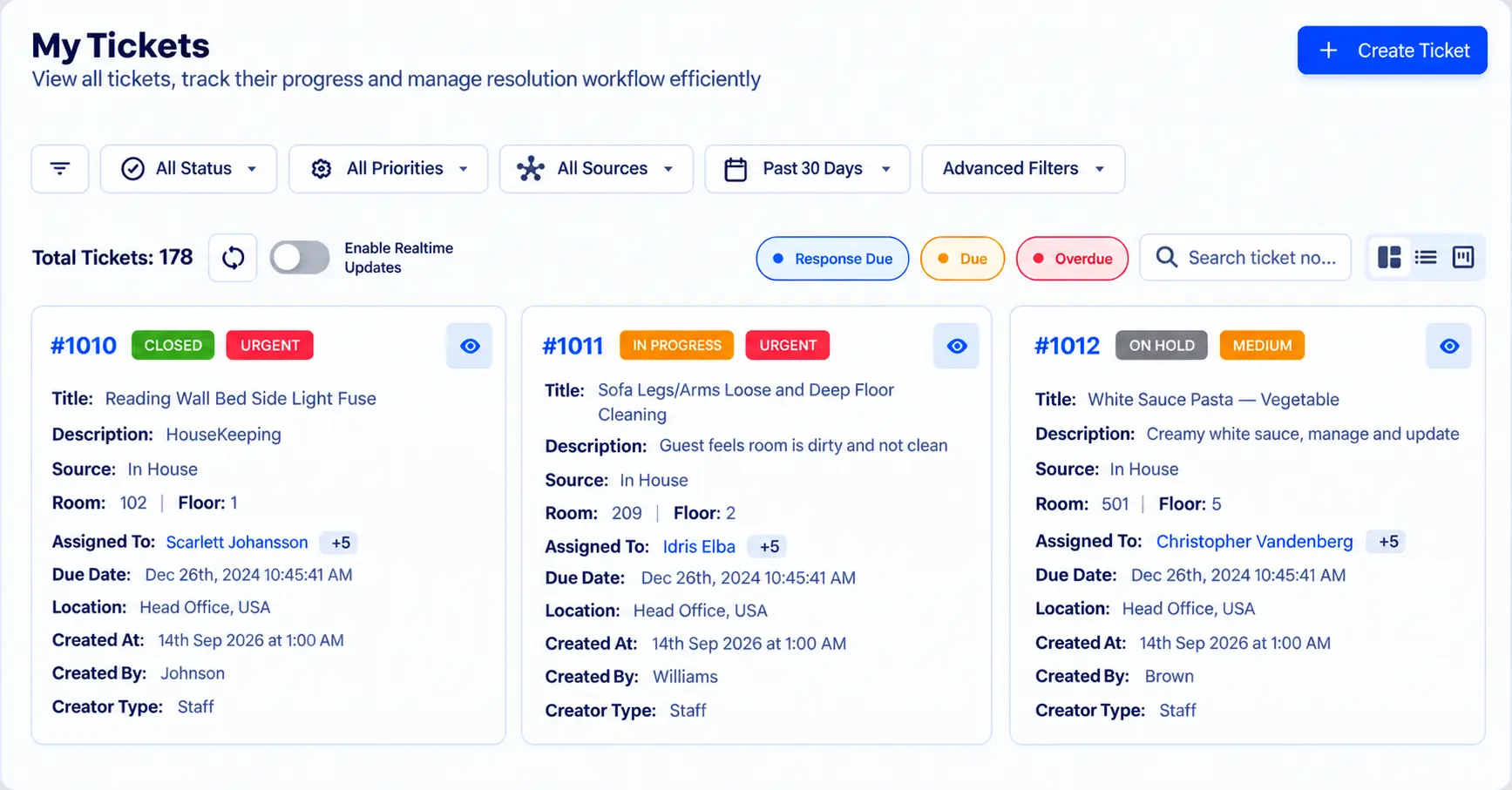
Rannkly Desk is a guest request and service operations platform for hotels. It turns calls, WhatsApp messages, emails, forms and QR requests into tickets. Each ticket has an owner, a status and an SLA clock. Managers see what is new, overdue or escalated. Rannkly Desk is not a property management system. It does not replace your PMS or handle bookings. It works alongside the systems your hotel already uses.
FUTEC handles setup, training and support in Arabic, English and Urdu.
This is a Rannkly platform-wide figure. It is not a count of FUTEC clients or Saudi hotels.
General managers, front office managers and operations heads at hotels and serviced apartments in Saudi Arabia.
Capture a guest service request from a call. The agreed setup determines how calls are connected.
Staff raise service tasks and pass them to the responsible department.
Turn incoming guest messages into service tickets.
Collect structured request details before assignment.
Bring guest messages into the service workflow through supported connections.
Guests submit a request through a QR entry point.
Create tickets from supported connected systems and events.
Route review-related service issues into tickets.
Rannkly lists complaint capture through connected delivery platforms.
The request enters from a connected source.
Room, area, priority, source and department stay attached.
The right department or employee owns the ticket.
Status, due time, SLA and ownership remain visible.
Scheduled and event-based rules route, prioritise and notify.
Close the work or alert the next responsible management level.
General Managers and Operations Heads see new, active, overdue, unassigned, unresolved and escalated work with the context needed to act.
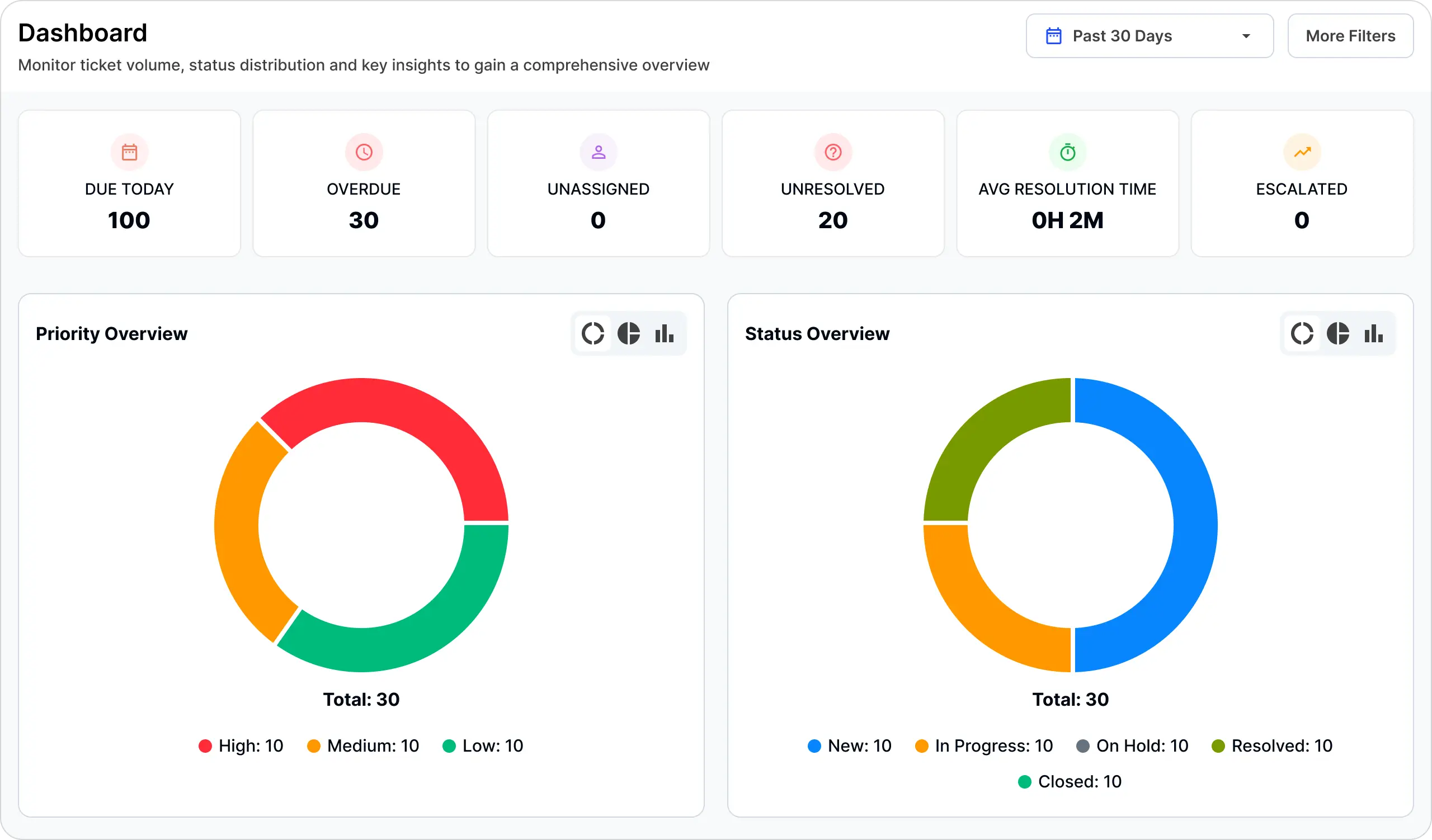
Use service data to identify delays, recurring complaints, peak periods and departments that need attention.
Track service demand and request sources.
Identify when requests and complaints increase.
Prioritise urgent and repeated service failures.
Compare response, resolution and escalation outcomes.
Capture and track guest requests.
Receive assigned service tasks and update progress.
Own maintenance tickets and service levels.
Monitor unresolved, overdue and escalated work.
When a ticket is created, rules can assign a department, set priority and notify the right people.
Use time-based checks to follow up on work that is approaching its SLA limit or remains unresolved.
When a new email ticket is categorised as a service complaint, assign Front Office, set priority to High and notify the duty manager.
Staff receive alerts when a ticket is assigned or escalated, approaches its SLA limit, or gains a new note. Supported channels include WhatsApp, email, SMS and the mobile app. Channel setup is agreed during implementation.
Each ticket stays linked to guest and stay details, so the team knows who the request belongs to before acting.
Control who can see, edit, assign, escalate and resolve tickets by department and role.
Staff can view and update tickets from the Rannkly Desk app on iOS and Android.
Arabic caller understanding is confirmed. The AI conversation layer captures a guest need and passes it into Desk for assignment and SLA tracking. Recording and playback requirements are reviewed during setup.
Rannkly also describes AI voice reminders for staff follow-up. Confirm the AI agent and device package for your Saudi deployment.
FUTEC supports the confirmed Saudi PMS brands shown below. Setup depends on your PMS version, access and agreed scope.
Review your guest requests, departments and response expectations.
Configure departments, SLA rules, roles and agreed supported integrations.
Train reception, service teams and managers on their daily workflow.
Support the launch and help your teams use the agreed workflow. Support is available in Arabic, English and Urdu.
 ISO 27001
 SOC 2
SOC 2 GDPR
GDPRThese labels refer to Rannkly’s platform, not FUTEC certifications or a Saudi compliance guarantee. Ask for the current scope and supporting documents.




Rannkly worldwide customer references. These are not presented as FUTEC’s Saudi clients. Park Plaza also appears in the customer stories below.
Hotel testimonials published by Rannkly. Some discuss reviews and messaging rather than Desk. Watch each original video for the customer’s account.
Reviews and conversations
Client testimonial
Watch Park PlazaReviews and online presence
Client testimonial
Watch Ramada GhaziabadRannkly Desk hotel operations
Rudra Pratap Singh, COO
Watch Ahuja ResidencesRannkly platform and support
Sarbendra Sarkar, Founder & MD
Watch Cygnett Hotels & ResortsGuest feedback
Dhruv Sharma, Vice President
Watch Udman HotelsA guest request and service operations platform for hotels. It captures requests, assigns them to teams and tracks response times.
No. It does not replace your PMS or manage bookings. It manages guest requests and service tasks.
FUTEC, the exclusive channel partner. We handle setup, training and support in Arabic, English and Urdu.
Front office, housekeeping, engineering and maintenance, and management.
FUTEC configures supported integrations based on your systems and the agreed scope. Tell us your PMS and we will confirm.
Yes. Hotels can try Rannkly Desk free for 10 days. Trial terms are shared at the demo.
Pricing depends on the property and setup. Book a demo for a quote.